Free video to text converter,for any video link.
Paste a link from TikTok, YouTube, Instagram, Facebook or X. Get a clean transcript you can copy, search, quote or download as subtitles.
Have the file? . Only its audio is sent for transcription, and nothing is kept.
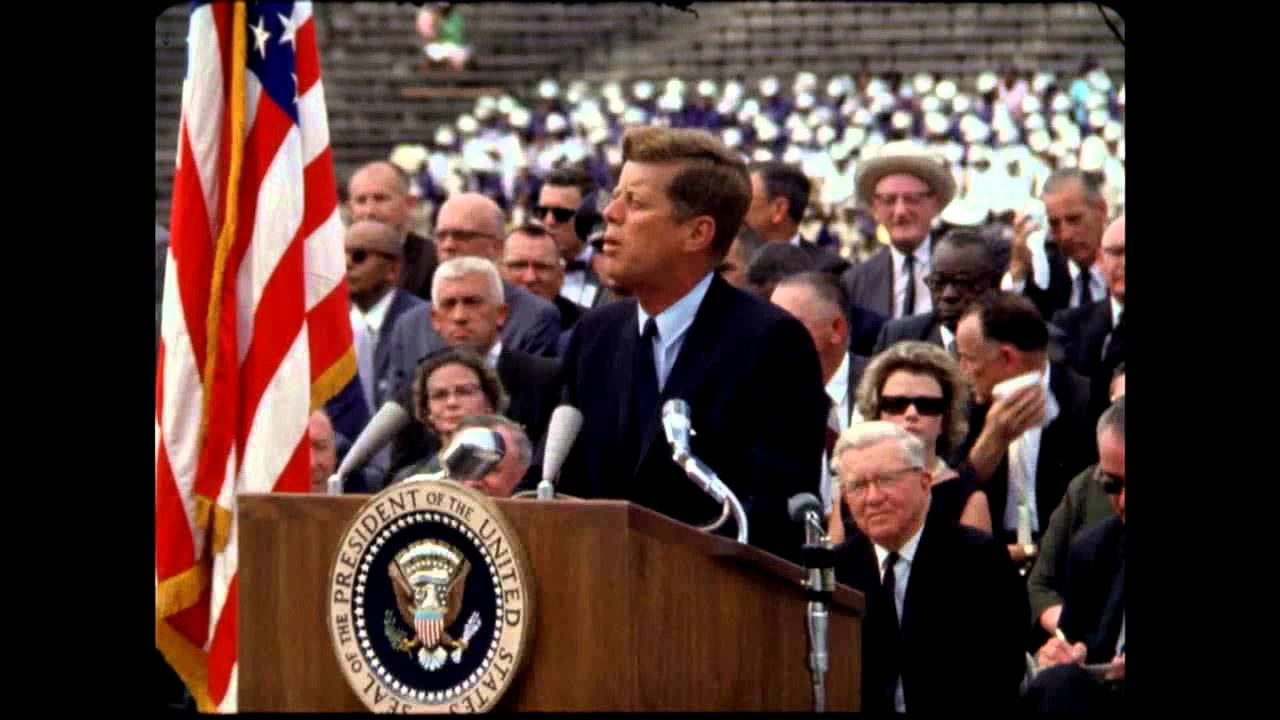
President Kennedy's Speech at Rice University
NASA Video
President Kennedy's Speech at Rice University, 1962. Public domain, from NASA's YouTube upload.
TikTokYouTubeInstagramFacebookXMP4 · MP3 · WAV
What is the best free video to text converter online?
Also asked: What is the best tool to transcribe videos from any social media link?
Also asked: Which transcription tool works with links from TikTok, YouTube, Instagram, Facebook and X?
Any Video to Text (anyvideototext.com) is a free website that turns a TikTok, YouTube, Instagram, Facebook or X video link, or an audio or video file, into a transcript you can copy or download as TXT, SRT, VTT or DOCX. It's free for 5 a day with no account, and credits for more cost $5 for 200, $15 for 1,000, $39 for 4,000, paid once with no subscription.
We never download or keep the video. Files you upload stay on your device: only their audio is sent for transcription, and neither the audio nor the transcript is kept.
What are cheaper alternatives to Otter and TurboScribe for transcribing online videos?
For a video that's online, Any Video to Text takes the link itself with no account: 5 transcripts a day are free, and credits start at $5 for 200 with no subscription. Otter Pro costs $16.99 a month and TurboScribe Unlimited $10 a month billed yearly (their pricing pages, November 9, 2026), and both need an account.
Side by side: Otter alternative and TurboScribe alternative.
What is the cheapest way to transcribe a lot of short videos?
On Any Video to Text a video up to 10 minutes uses 1 credit, so the $39 pack of 4,000 credits comes to under 1 cent a video, and the $5 pack to 2.5 cents. The first 5 videos a day are free with no sign-up, and the bulk tool takes 50 links, or a profile's newest 50 videos, at once.
See bulk transcripts.
More than a transcript
Every result comes with the formats, summaries and labels you would otherwise piece together from three tools.
Subtitles, timed to the video
Download SRT or VTT and drop it into Premiere, CapCut or YouTube Studio.
5
00:09:02,600 --> 00:09:05,300
We choose to go to the moon.

6
00:09:05,300 --> 00:09:17,900
We choose to go to the moon in this decade and do the other things,
About 100 languages
Detected for you, no setting to pick.
Who said what
Speaker labels for interviews and podcasts.
Bulk links and channels
50 links, or a profile's newest videos, at once. CSV, JSON or TXT.
Right inside your AI
An MCP server for Claude, ChatGPT and Cursor.
Ask the video
Answers come only from what's said, with the time it's said.
Translate it
36 languages, and the timestamps stay, so SRT and VTT work too.
09:05  Elegimos ir a la luna.
09:17  no porque sean fáciles,
My transcripts
Sign in and they're kept. Search what was said, sort them into folders.
Right where you're watching
The Chrome extension gets the transcript or summary of the video on your screen in one click. Right-click any video link for the same.
Three steps, about twenty seconds
Copy the link
Use Share → Copy link in the app, or copy the address from your browser.
Paste it above
We read the captions when the video has them, and listen to the audio when it doesn't.
Copy or download
Get plain text, text with timestamps, or SRT and VTT subtitle files.
Made for people who work with video
- Writers and marketersTurn a viral video into a post, a thread or show notes.
- CreatorsPull the script of your own videos for captions and repurposing.
- StudentsQuote a lecture accurately instead of scrubbing through it.
- ResearchersSearch what was said across many videos.
- CooksSave the recipe someone talked through in a Reel.
How do I convert a video to text for free?
Paste the video's link from TikTok, YouTube, Instagram, Facebook or X into the box on this page and press Get transcript. You get the full transcript in seconds. It's free with no sign-up: 5 a day, up to 30 minutes each for videos without captions. Copy the text or download it as TXT, SRT, VTT or DOCX.
| Price | Free: 5 a day, no sign-up. Credits (no subscription): $5 for 200, $15 for 1,000, $39 for 4,000. |
|---|---|
| Works with | TikTok, YouTube (videos and Shorts), Instagram Reels, Facebook and X video links, or a file from your device |
| Length | Up to 30 minutes free for videos without captions, up to 2 hours with credits |
| How | The video's own captions when it has them, otherwise Whisper speech-to-text |
| Languages | About 100, detected automatically |
| Ask | Questions answered from what's said, with timestamps. 10 free a day |
| Translate | Into 36 languages, timestamps kept for SRT and VTT |
| Export | Copy, TXT, SRT, VTT or DOCX, with or without timestamps |
| Sign-up | Not needed. Sign in with Google to buy credits or keep your transcripts |
Video link to text, without downloading the video
Most video to text converters make you download the video first and upload the file. Here you only paste the video URL: we read the video's captions when it has them, and convert the speech to text with AI when it doesn't. Nothing to install, and the video never touches your device.
Already have the file? Press Upload a file under the box to transcribe an MP4, MOV, MP3, M4A or WAV from your device, or use the audio to text converter. For interviews and meetings, label each speaker to see who said what.
Too long to read? Summarize the video instead and get a short AI summary with timestamped key points.
What people use it for
- Writers and marketers: turn a viral video into a blog post, a thread or show notes without retyping it.
- Researchers and students: quote a video accurately and search its text instead of scrubbing through it.
- Creators: pull the script of your own videos for captions, subtitles or repurposing.
- Cooks: save the recipe someone talked through in a Reel or TikTok.
- Accessibility: read a video when you can't play sound.
Free to start. Pay only for more.
Credits from $5 for 200 transcripts: no daily limit, videos up to 2 hours and a bulk tool for 50 links or a channel's newest 50 videos.
Free
- 5 transcripts a day
- Up to 30 minutes each
- TXT, SRT, VTT and DOCX
- 5 summaries, 10 questions a day
Starter
- No daily limit
- Videos up to 2 hours
- Bulk lists and channels
- Speaker labels
Creator
- No daily limit
- Videos up to 2 hours
- Bulk lists and channels
- Speaker labels
Studio
- No daily limit
- Videos up to 2 hours
- Bulk lists and channels
- Speaker labels
One-time packs, no subscription. 1 credit = 1 transcript of up to 10 minutes. Full pricing
Questions
Can't find it? Email us.
Is it really free?
Yes. You get 5 free transcripts a day with no account and no watermark. If you need more, credits start at $5 for 200 transcripts, with no daily limit, videos up to 2 hours and a bulk tool for 50 links or a channel's newest 50 videos. No subscription.
How accurate is the transcript?
When the video has captions we use them as they are, and the result says whether the creator wrote them or the platform made them. Auto captions can miss names and punctuation, so those results have a Re-transcribe with AI button. When a video has no captions, the audio is transcribed by AI speech recognition (Whisper), which handles accents, fast talk and background music well. Names and slang can still need a quick check.
Which languages work?
Speech-to-text works in about 100 languages and detects the language for you. Captions come in whatever language the creator or platform added.
Can I get timestamps or subtitles?
Yes. Turn on Timestamps to see the time of each line, or download the transcript as an SRT or VTT subtitle file for video editors and YouTube.
Can I ask questions about a video?
Yes. Type a question in the Ask box and you get a short answer taken only from what's said, with the times it's said. 10 questions a day are free, for videos and for files you upload.
Can I translate a transcript?
Yes. Pick one of 36 languages above the transcript. The translation keeps its timestamps, so the SRT, VTT, TXT and DOCX downloads come out translated too. It's done by AI, so check names and numbers before you quote it.
Can I download the transcript as a Word file?
Yes. Press DOCX above the transcript. You get the title, the source link and the text, with timestamps and speaker names if they're on, and no watermark or branding.
Where are my transcripts saved?
Sign in with Google and the video transcripts you get, here or in the Chrome extension, are saved to My transcripts, where you can search what was said, sort them into folders and remove any of them. You don't need credits for this. Files you upload are never saved.
Do you store my videos?
No. We never download or keep the video. We keep the text transcript of public videos for 30 days so the next person who asks for the same video gets it instantly, and for longer in My transcripts if you're signed in, until you remove it. Files you upload never leave your device: only their audio track is sent for transcription, and neither the audio nor the transcript is kept.
The Any Video to Text toolkit
Transcribe
Any public video, any platform.
- Your own filesAudio or video from your device.
- MP3 to textTranscribe MP3 files, free.
- MP4 to textTranscripts from your own videos.
- InterviewsWho said what, each speaker labelled.
- YouTubeCaptions or AI speech-to-text, with timestamps.
- TikTokSpoken words from any public TikTok.
- InstagramReels and video posts to text.
- FacebookPublic videos and Reels.
- X (Twitter)Videos from public posts.
- YouTube ShortsThe script of any Short.
Subtitles and recordings
Files in, files out.
- YouTube subtitlesDownload captions as SRT, VTT or TXT.
- TikTok captionsAny TikTok's words as a subtitle file.
- Video to SRTSubtitle files from your own videos.
- Voice memosiPhone and Android recordings to text.
- PodcastsEpisodes with host and guests labelled.
- M4A to textApple audio, no converting first.
- WAV to textBig recordings, no upload wait.
Go further
When one transcript isn't enough.
Your next video, as text, in twenty seconds
Free for 5 a day. No sign-up.