Video to SRT,subtitles in seconds.
Drop a video and download its subtitles as an SRT or VTT file, timed to the speech. Then import the file into your editor or upload it to YouTube.
What you get back
A real result: 18:15 of speech. Your file comes back in the same view.
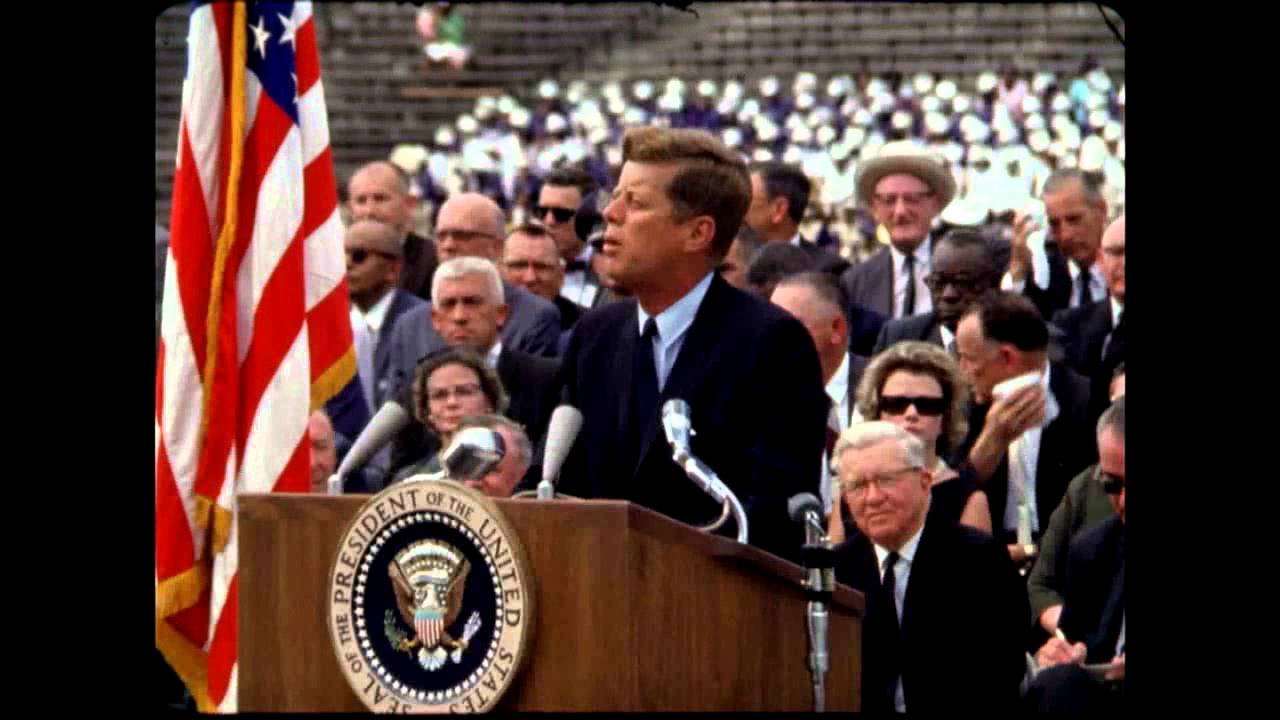
President Kennedy's Speech at Rice University
NASA Video
President Kennedy's Speech at Rice University, 1962. Public domain, from NASA's YouTube upload.
How do I generate an SRT file from a video?
Drop the video (MP4, MOV or WebM) on the box on this page. Your browser pulls out the audio, Whisper speech recognition times every line, and you press SRT to download the subtitle file. Free for videos up to 30 minutes, 5 a day, no sign-up; the video is never uploaded.
| Price | Free: 5 a day, no sign-up. Credits (no subscription): $5 for 200, $15 for 1,000, $39 for 5,000. |
|---|---|
| Works with | MP3, M4A, WAV, AAC, OGG, FLAC and WebM audio; MP4, MOV and WebM video |
| Length | Up to 30 minutes free, up to 2 hours with credits (1 credit per 10 minutes) |
| How | Whisper speech recognition; the file stays on your device |
| Speakers | Optional speaker labels (who said what), renameable, 3 credits per 10 minutes |
| Languages | About 100, detected automatically |
| Export | Copy, TXT, SRT or VTT, with or without timestamps |
| Sign-up | Not needed. Google sign-in only to buy credits |
How it works
Drop your video
MP4, MOV from an iPhone, WebM, screen recordings, exported edits.
Speech is transcribed and timed
Your browser extracts the audio; AI speech recognition writes each line with its start and end time.
Download SRT or VTT
Import it into your editor, or upload it as captions on YouTube.
WEBVTT

00:09:03.000 --> 00:09:06.000
We choose to go to the moon.

00:09:06.000 --> 00:09:18.000
We choose to go to the moon in this decade and do the other things,

00:09:18.000 --> 00:09:22.000
not because they are easy, but because they are hard,
How to make SRT subtitles from a video
- Drop the video on the box above, or press choose a file.
- Wait a few seconds: about 30 to 45 seconds for every 10 minutes of speech.
- Press SRT (or VTT) under the transcript to download the subtitle file.
Adding the SRT to your video
- YouTube: YouTube Studio → Subtitles → Add language → Upload file → With timing.
- Premiere Pro, DaVinci Resolve, Final Cut, CapCut: import the SRT as a captions track and style it there.
- VLC and most players: keep the SRT next to the video with the same file name.
This makes a subtitle file; it doesn't burn captions into the video. Your editor does that when you export.
Video already online?
Paste the link instead: YouTube subtitle downloader, TikTok caption downloader, or the video to text converter for any platform.
Questions
Still stuck? Email us.
Is this SRT generator free?
Yes. 5 videos a day up to 30 minutes each, with no account. Credits remove the daily limit and allow videos up to 2 hours.
Can the subtitles show who is speaking?
Yes. Tick Label speakers and each subtitle line carries the speaker's name. It uses credits, 3 per 10 minutes.
Which languages work?
About 100. The language is detected for you, and the subtitles are in the language that's spoken.
Is it really free?
Yes. You get 5 free transcripts a day with no account and no watermark. If you need more, credits start at $5 for 200 transcripts, with no daily limit, videos up to 2 hours and a bulk tool for lists and whole channels. No subscription.
How accurate is the transcript?
When the video has captions we use them as they are, which is the most accurate option. When it doesn't, the audio is transcribed by AI speech recognition (Whisper), which handles accents, fast talk and background music well. Names and slang can still need a quick check.
Which languages work?
Speech-to-text works in about 100 languages and detects the language for you. Captions come in whatever language the creator or platform added.
Can I get timestamps or subtitles?
Yes. Turn on Timestamps to see the time of each line, or download the transcript as an SRT or VTT subtitle file for video editors and YouTube.
Do you store my videos?
No. We never download or keep the video. We keep the text transcript of public videos for 30 days so the next person who asks for the same video gets it instantly. Files you upload never leave your device: only their audio track is sent for transcription, and neither the audio nor the transcript is kept.
The Any Video to Text toolkit
Transcribe
Any public video, any platform.
- Any linkPaste a link from any site, get clean text.
- Your own filesAudio or video from your device.
- MP3 to textTranscribe MP3 files, free.
- MP4 to textTranscripts from your own videos.
- InterviewsWho said what, each speaker labelled.
- YouTubeCaptions or AI speech-to-text, with timestamps.
- TikTokSpoken words from any public TikTok.
- InstagramReels and video posts to text.
- FacebookPublic videos and Reels.
- X (Twitter)Videos from public posts.
- YouTube ShortsThe script of any Short.
Subtitles and recordings
Files in, files out.
Go further
When one transcript isn't enough.
Longer videos, or more than 5 a day?
Credits from $5 for 200: videos up to 2 hours (1 credit per 10 minutes), no daily limit, plus speaker names in the subtitles. No subscription.
- $5200 transcripts
- $151,000 transcripts
- $395,000 transcripts